

How to Do Tax Resolution: A Step-by-Step Workflow for Tax Pros
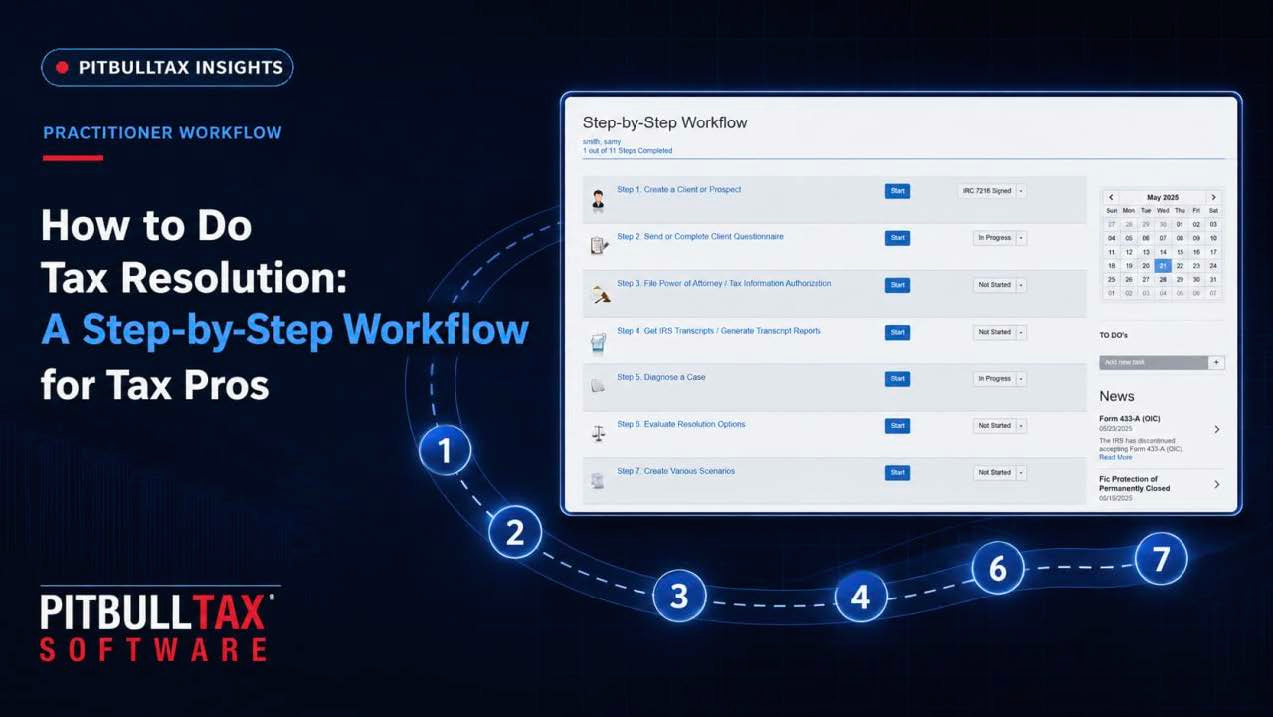
How to Do Tax Resolution: A Step-by-Step Workflow for Tax Pros
Tax resolution — representing a client with an IRS collection issue, from an unfiled return toa six-figure back-tax balance — is a specialty a lot of CPAs and EAs back into rather than train for directly. A client asks for help, you take the case, and you learn the process while you're in it. That works, but it's slow and error-prone the first several times. Here's the workflow experienced practitioners actually follow, and where a purpose-built platform shortens each step.
Step 1: Intake and Authorization
Before you can pull anything from the IRS or discuss a client's account, you need signed authorization — Form 2848 (Power of Attorney) if you'll be representing the client directly, or Form 8821 (Tax Information Authorization) if you only need to view their information. Collect this alongside a standard intake questionnaire covering filing history, current balances, income sources, and household composition. A bilingual intake form matters more than it sounds like it should — a large share of resolution clients are more comfortable providing sensitive financial detail in Spanish, and a questionnaire that only exists in English will quietly cost you completeness and accuracy.
Step 2: Pull IRS Transcripts
Client memory is not a reliable source for what the IRS actually has on file. The second step, always, is pulling account transcripts, wage and income transcripts, and a record of account for every year in question. This tells you the real balance, the penalty history, whether liens have been filed, and — critically — the Collection Statute Expiration Date, which caps how long the IRS can legally pursue collection on a given year's liability.
Step 3: Confirm Compliance
The IRS generally will not approve an Offer in Compromise or Installment Agreement for a taxpayer who isn't currently compliant — meaning all required returns filed and current-year estimated payments on track. If transcripts show missing returns, getting those filed is step one of the actual resolution work, before you can request any collection alternative.
Step 4: Run the Numbers Against IRS Standards
This is where the case actually gets diagnosed. The IRS evaluates Offer in Compromise and Installment Agreement eligibility using National, Regional, and Local Collection Financial Standards — allowable living expense figures that vary by household size and county. Comparing a client's actual income, expenses, and assets against these standards tells you which resolution paths are realistically available: full Offer in Compromise, a Streamlined or Partial Pay Installment Agreement, or Currently Not Collectible "53" status if the client genuinely cannot pay anything.
Doing this by hand means looking up county-specific standards tables and running the collectibility math manually — the exact calculation PitBullTax's Resolution Evaluation tool automates, comparing all three resolution paths side by side from the same client data you already collected at intake.
Step 5: Select Forms and Build the Case File
Each resolution path requires a specific set of forms. An Offer in Compromise typically needs Form 656 plus Form 433-A (OIC) or 433-B (OIC) with supporting documentation (bank statements, pay stubs, asset valuations). An Installment Agreement may only need Form 9465 and a 433-D. Knowing which combination applies to a given case — and not missing a required schedule — is where a lot of first-time resolution submissions get kicked back by the IRS for incompleteness.
Step 6: Negotiate
Submitting the paperwork is not the end of the process — it's the start of a negotiation. IRS examiners and revenue officers work from the Internal Revenue Manual (IRM), and knowing the specific procedural rule that applies to a given situation is often the difference between an offer getting rejected and getting accepted. Experienced practitioners keep the relevant IRM sections close at hand during this phase rather than relying on memory.
Step 7: Monitor Until Closed
A resolution isn't final the day it's approved. Installment Agreements can default. Offers in Compromise carry a five-year compliance requirement. Currently Not Collectible status gets periodically reviewed by the IRS and can be revisited if a client's financial situation changes. Ongoing monitoring of the client's IRS account — catching a new notice or balance change early — is what keeps an approved resolution from quietly falling apart.
Where Software Changes This Workflow
Every step above is manageable by hand for one or two cases a year. It stops scaling once you're running a real caseload. A dedicated tax resolution platform compresses steps 2 through 7 into one connected workflow: transcripts feed directly into the resolution analysis, the analysis determines which forms populate automatically, and ongoing monitoring flags account changes without you having to manually re-check.
PitBullTax's Step by Step Workflow feature is built around exactly this sequence — one workflow per case, guiding you through analysis, form preparation, and negotiation in a logical order, paired with Resolution Evaluation, Case Diagnostics, integrated IRS forms, and a searchable Internal Revenue Manual so you're not toggling between five different resources mid-case.
Common Mistakes in the First Few Cases
Practitioners new to resolution work tend to repeat a handful of avoidable errors: submitting an Offer in Compromise before confirming the client is in current filing compliance (an automatic rejection reason), underestimating how long document collection takes and setting client expectations accordingly, and treating the resolution evaluation as a one-time calculation rather than something to re-run if the client's financial picture changes mid-case. Building the habit of confirming compliance status and re-checking eligibility at each major case milestone — not just at intake — prevents most of these.
Getting Comfortable With the Process
If you're newer to resolution work, formal training helps more than trial-and-error. PitBullTax Institute runs Hybrid Workshops (virtual and on-site) at Beginners, Intermediate, and Advanced levels throughout the year, covering this exact workflow hands-on, with IRS and NASBA-approved CE/CPE credit attached.
For a deeper look at how the software handles resolution eligibility specifically, see our complete guide to tax resolution software.
Sources: PitBullTax Software Features (pitbulltax.com/page/software.html); Why PitBullTax (pitbulltax.com/page/irs-back-taxes-solutions.html); PitBullTax Institute (pitbulltax.com/institute)